

Problem Context:
Working with a large dataset containing various metrics (measurements) and dimensions (categories that classify the data). Understanding what factors most influence your metrics can be challenging. For example, one might want to know which user demographics (country, device type) have the biggest impact on website pageviews.Use Case:
The ThirdEye Dimensions Recommender is a tool that helps you identify the key dimensions driving a specific metric. This can be valuable for:- Optimizing marketing campaigns: See which demographics or channels contribute most to conversions.
- Troubleshooting performance issues: Identify dimensions associated with unexpected dips or spikes in metrics.
- Understanding user behavior: Discover which user segments have the most significant influence on key metrics.
Example:
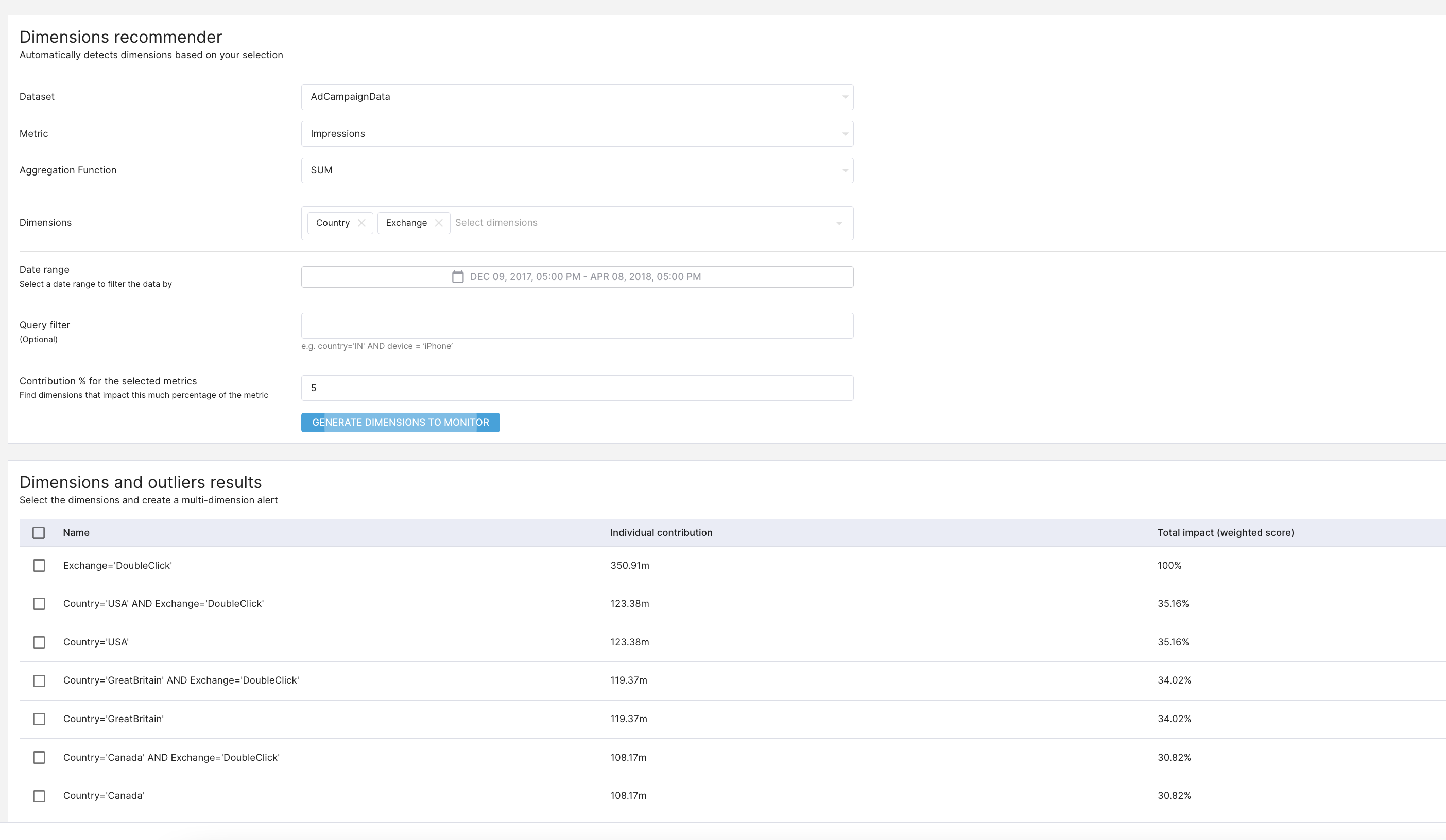
Analyze website traffic. One wants to know which user characteristics (dimensions) most affect total pageviews (metric). Here’s how to use the ThirdEye Dimensions Recommender:- Metric Selection: Specify the metric you want to analyze, for example, by providing its ID or name (e.g., “pageviews”).
- Filtering: Define a timeframe (start and end date) for the analysis. You can optionally set a threshold (minimum metric value) or a percentage contribution for the dimensions you’re interested in.
- Additional Criteria: You can add a “where” clause to filter data based on specific dimension values (e.g., only users from the US) or a “having” clause to filter based on the number of data points (e.g., only dimensions with over 1 million rows). Customization:
- Max Depth: Set the maximum number of dimensions the recommender should consider when identifying contributing factors (e.g., country, device, browser version).
- Limit: Specify the maximum number of top recommendations to return for each dimension combination.
- Run the Analysis: The API will return a list of dimensions that significantly impact your chosen metric within the specified timeframe and criteria.
API reference
The recommender API is accessible at/api/rca/metrics/cohorts.
Here’s an example: