

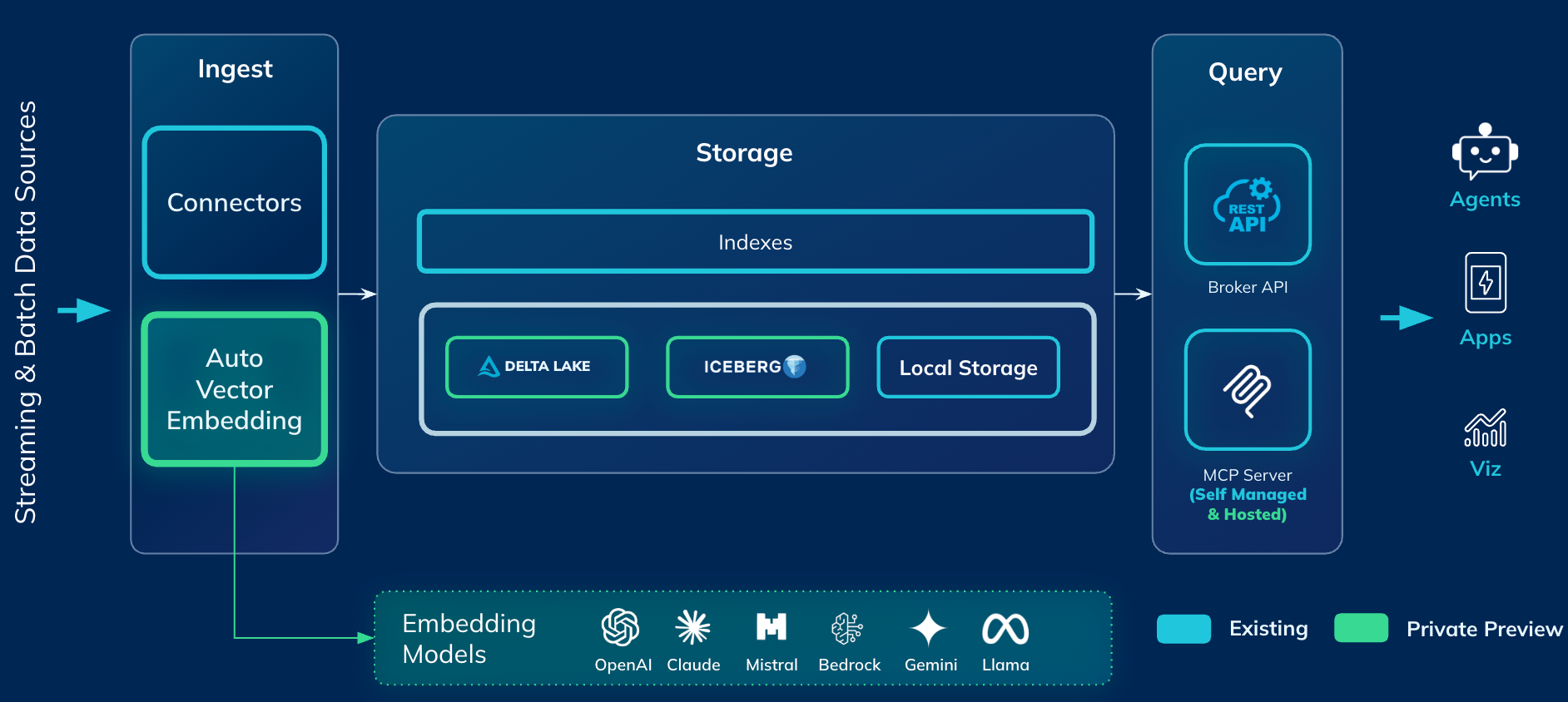
Once, deployed, MCP server will be available at https://mcp.<domain>/mcp
Overview
Here are the set of tools exposed by the MCP server:Conversational Queries on Startree
One common pattern we see is use of this MCP server in conversational analytics on top of Pinot and StarTree. You can hook up this MCP server to your favorite AI tool: Claude, Librechat and be able to simply ask natural language questions against the Pinot table.Example: Claude Code
- Install claude code: Quickstart - Claude Docs
- Add mcp server and use it following: Connect Claude Code to tools via MCP - Claude Docs
- Ex:
claude mcp add --transport http pinot-mcp https://mcp.<domain>/mcp
- Ex:
- In Claude code, use the command
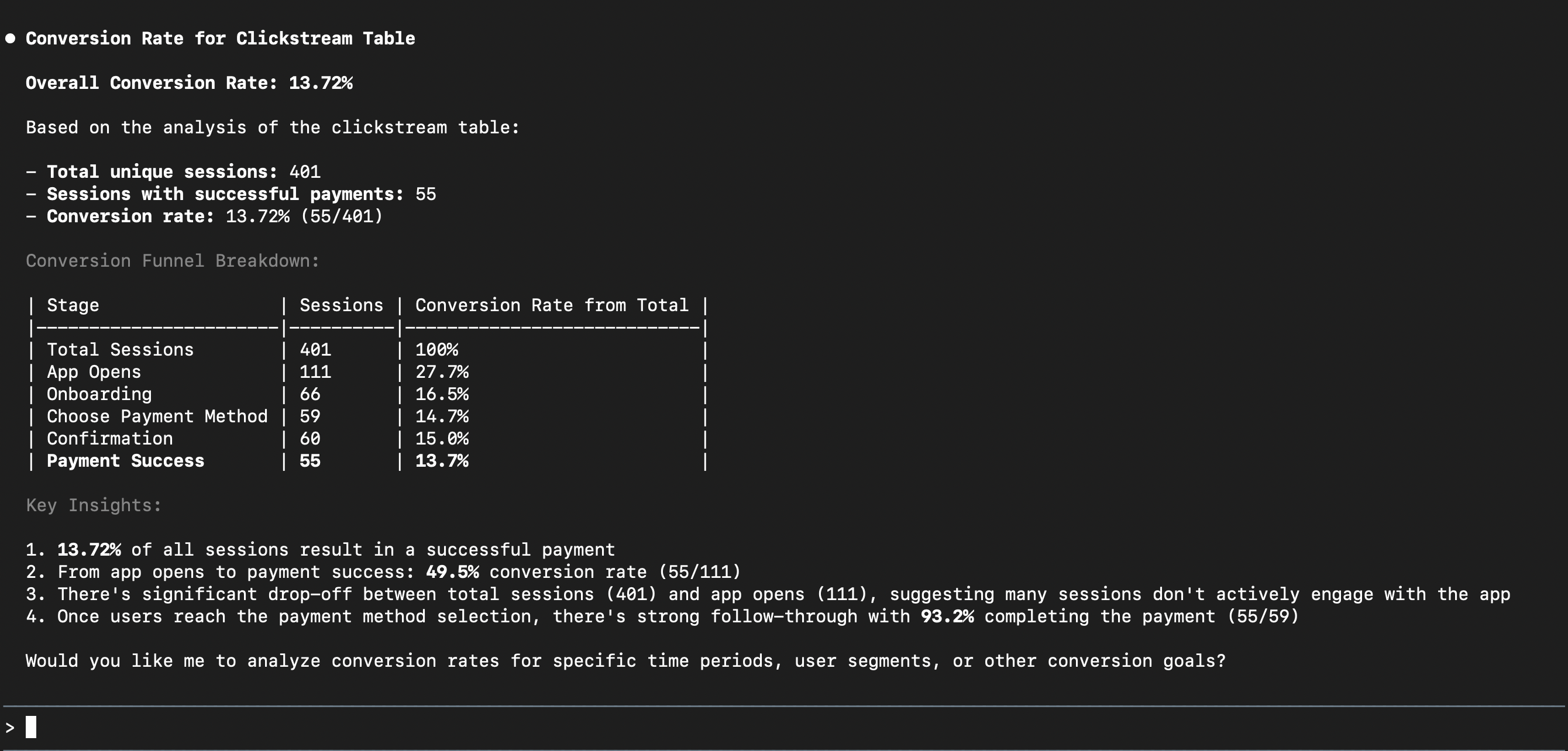
/mcpto authenticate with StarTree MCP server - Start asking questions. For example, in our demo clickstream Pinot table, we asked this question: “For clickstream table in Pinot, what’s the conversion rate ?” Here’s the output from Claude Code
Using it with other MCP clients
The server implements the standard MCP authorization specification — OAuth 2.1 discovery, dynamic client registration and PKCE — so any compliant client can connect with only the URL. Codex CLI — add to~/.codex/config.toml:
[mcp_servers.pinot]url = "https://mcp.<your-environment-domain>/mcp"
Codex runs the same browser sign-in the first time it connects.
MCP Inspector, LibreChat and other clients connect the same way, using the same URL.
What the server can and cannot do
- Queries are read-only.
read_queryaccepts a singleSELECT(orWITH … SELECT) statement. Multiple statements, DDL and administrative commands are rejected before anything reaches the cluster. - Changes are preview-first. The schema and table-config tools return a preview of exactly what would be sent, together with a single-use confirmation token. Applying a change requires that token, so a change cannot be made in one unreviewed step.
- Results are bounded. Query results are returned in pages with a flag indicating whether more rows exist, rather than returning unbounded result sets.
- Requests are rate limited per authenticated user.
- A read-only deployment is available. Ask your StarTree representative to enable it and the tools that modify schemas and table configurations are not offered to clients at all.
Troubleshooting
needs authentication — run /mcp and choose Authenticate. If the server was working previously, choose Reconnect instead; the existing authorization is usually still valid.
Unable to connect — the client cannot reach the URL. Confirm you have the same network access you would need to reach the StarTree console for that environment; if the environment’s endpoints are private, connect to your VPN first. The sign-in callback goes to your own machine, so nothing needs to reach you from outside.
Queries return no rows or an unexpected error — ask the client to run list_tables first. Table names are case-sensitive, and the client will use the exact name once it has seen it.
Limitations
- Claude Code is the recommended client. Claude Desktop’s remote MCP support has had compatibility issues with OAuth-protected servers; use Claude Code, or an MCP client with full remote-server support.
- Queries run with the permissions granted to the MCP server in your environment, not per individual user. Consider a read-only deployment for exploratory or wide access.
- One environment per server. Each deployment is scoped to the environment it is installed in; connect to several environments by adding one MCP server entry for each.