> ## Documentation Index
> Fetch the complete documentation index at: https://docs.startree.ai/llms.txt
> Use this file to discover all available pages before exploring further.
# Cursor IDE
# Cursor IDE Integration
Configure Cursor IDE to connect with your StarTree MCP Server for natural language analytics directly within your development environment.
## Prerequisites
* Cursor IDE installed ([download here](https://cursor.sh/))
* **StarTree MCP Server already installed** ([see installation guide](https://docs.startree.ai/corecapabilities/ai/mcp/installation))
## Configuration Steps
Since you already have a working `.env` file in your mcp-pinot directory, Cursor will automatically use those settings. No need to duplicate configuration!
Create or edit `~/.cursor/mcp.json`
```json theme={null}
{
"mcpServers": {
"pinot": {
"command": "uv",
"args": [
"--directory",
"/path/to/mcp-pinot",
"run",
"mcp_pinot/server.py"
]
}
}
}
```
Replace `/path/to/mcp-pinot` with the absolute path to your mcp-pinot directory
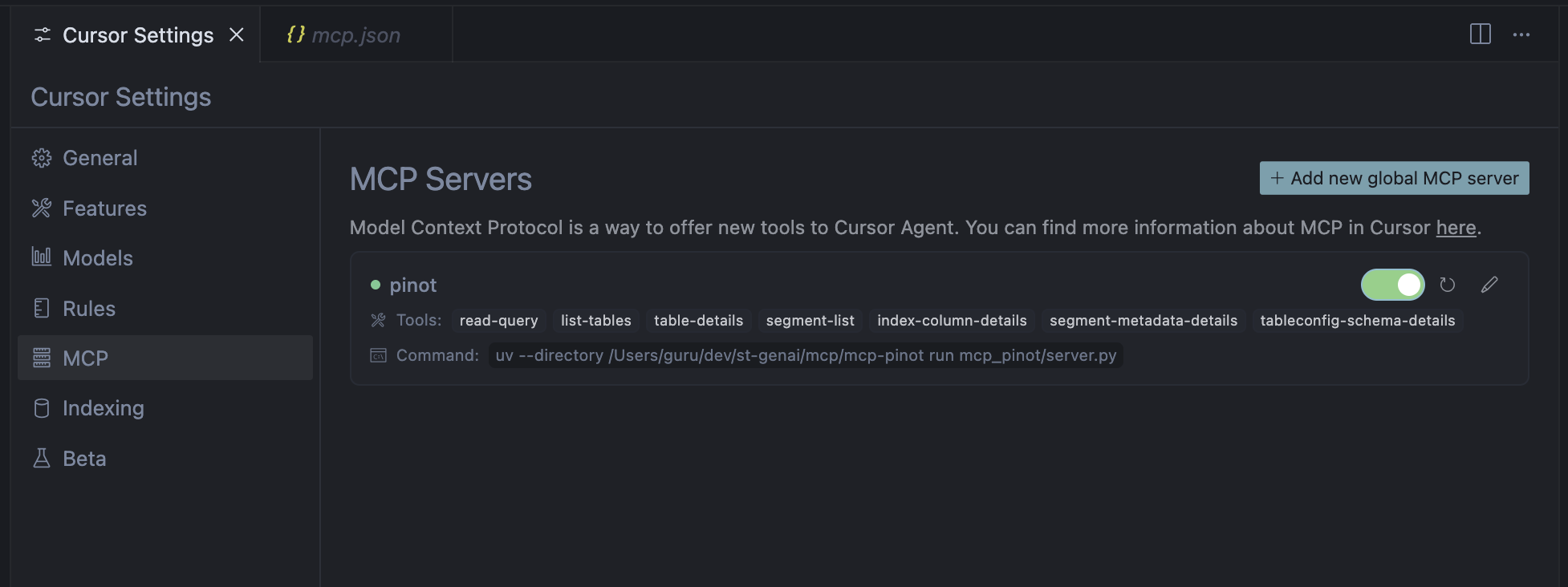
Add this config in Cursor MCP global settings
 ### Restart Cursor IDE
Completely restart Cursor IDE for the configuration to take effect.
## Verify Connection
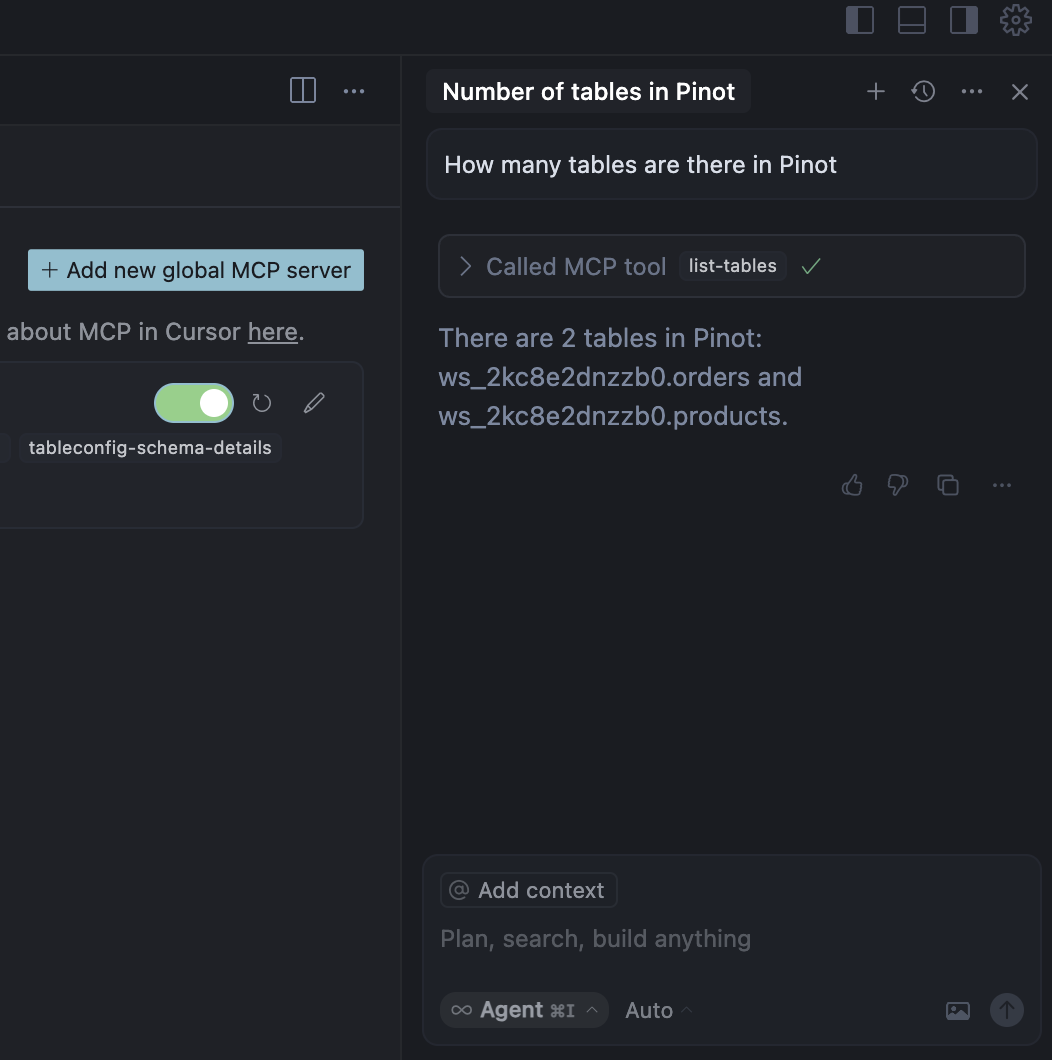
Try asking questions related to Pinot:
### Restart Cursor IDE
Completely restart Cursor IDE for the configuration to take effect.
## Verify Connection
Try asking questions related to Pinot: